
Download Psi – Free Cross‑Platform Instant Messenger
Overview
Psi (also known as Psi+) is a lightweight, open‑source instant messenger that has been built around the XMPP (Jabber) protocol. Unlike many bloated chat applications, Psi keeps the core experience fast, secure, and highly configurable, making it an ideal choice for users who value speed and privacy on their personal computers. The program runs on Windows, macOS, Linux, and even on portable versions for USB sticks, giving you the freedom to stay connected wherever you are.
Psi’s user‑friendly interface hides a powerful set of capabilities: Unicode support for global communication, rapid file transfers that bypass the typical bottlenecks of larger clients, and fully customizable icons that let you personalize the look and feel to match your workflow. Multilingual installation wizards mean you can launch the app in over a dozen languages right from the first run, ensuring that non‑English speakers have a smooth onboarding experience. Because Psi is free, there are no hidden subscription fees, no forced upgrades, and no telemetry that siphons your personal data to third‑party servers.
Whether you are a casual chat user, a remote‑work professional, or a developer who needs a reliable XMPP client for testing, Psi delivers a secure, efficient, and cost‑free messaging solution that scales from one‑to‑one conversations to large group chats.
Core Features
- Cross‑Platform Compatibility: Native builds for Windows 7‑11, macOS 10.13+, and major Linux distributions.
- Full XMPP Support: Connect to any XMPP server, including custom domains, with TLS encryption.
- Unicode & Multilingual UI: Handles all character sets and offers language packs during installation.
- Rapid File Transfer: Built‑in file‑sending engine that uses SOCKS5 proxies or direct connections for speed.
- Customizable Skins & Icons: Theme editor lets you change colors, icons, and layout without coding.
- Presence Management: Detailed status messages, mood icons, and auto‑away detection.
- Group Chat & Multi‑User Conferences: Supports MUC (Multi‑User Chat) rooms with password protection.
- End‑to‑End Encryption: OTR (Off‑the‑Record) and OMEMO plugins for private conversations.
- Portable Version: Run Psi from a USB stick without installing on the host machine.
- Extensible Plugin Architecture: Add‑ons for extra functionality such as calendar integration or advanced logging.
Installation & First‑Time Use
Getting Psi up and running is straightforward, even for users who are new to XMPP. Follow these steps to download, install, and start chatting within minutes.
Step 1 – Download the Installer
Visit the official Psi website and choose the installer that matches your operating system. Windows users should select the .exe package, macOS users the .dmg, and Linux users the appropriate .deb or .rpm. All files are digitally signed, ensuring a secure download free from tampering.
Step 2 – Run the Installer
During the installation wizard you will be prompted to select a language. Psi offers more than a dozen language packs, so pick the one that fits you best. The installer also asks whether you want a standard or portable installation; the portable option is ideal for users who want to keep the app on a USB drive.
Step 3 – Create or Import an Account
After installation, launch Psi. The first screen asks you to either create a new XMPP account or import an existing one. If you already have a Jabber ID (e.g., [email protected]), simply enter the credentials. New users can register directly from the app by clicking “Register new account” and following the provider’s sign‑up flow.
Step 4 – Configure Basic Settings
Navigate to Preferences → General to adjust startup behavior, enable automatic updates, and set your default status message. Under Accounts → Advanced you can enable OTR or OMEMO encryption, configure proxy settings for file transfers, and tweak presence notifications.
Step 5 – Start Chatting
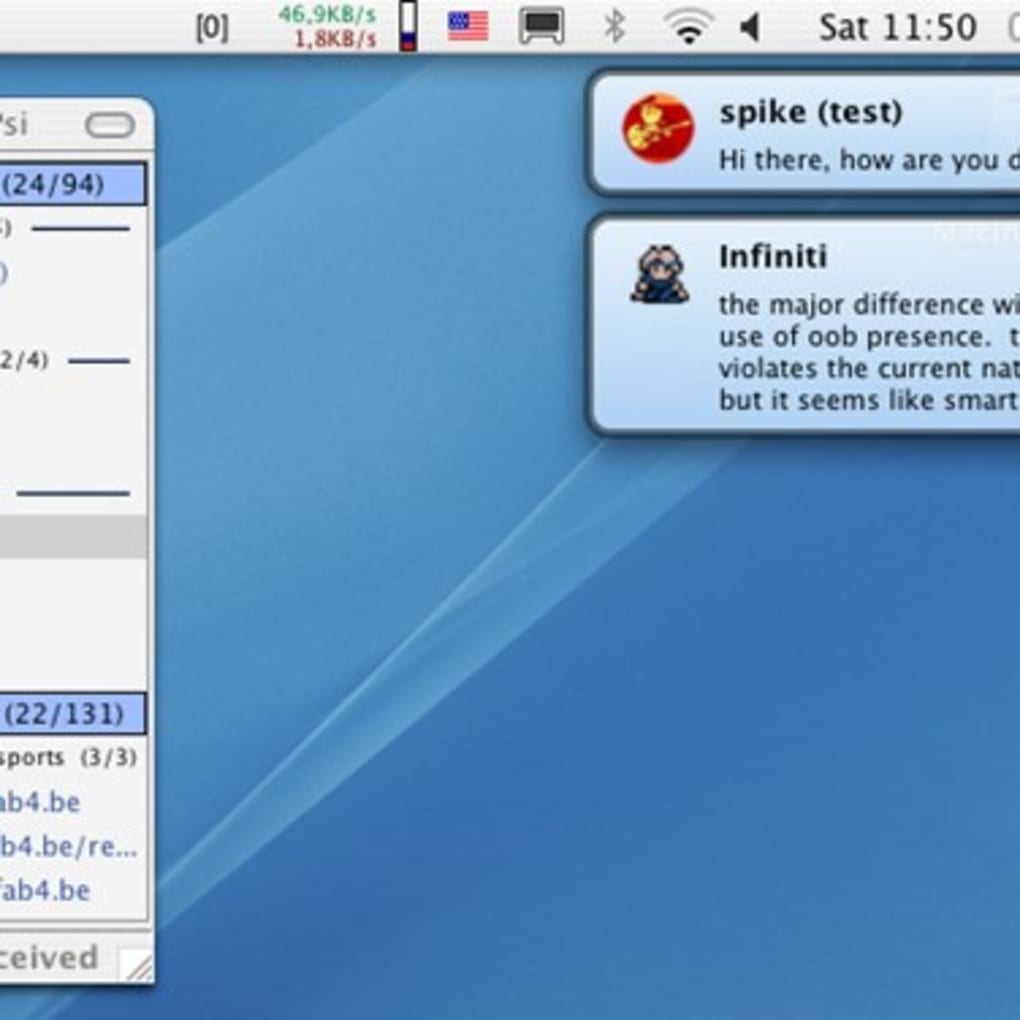
With your account added, the contact list appears on the left. Add contacts by entering their JID, drag‑and‑drop files into an open chat window for instant sharing, and explore group chat rooms via the “Join MUC” option. Because Psi is lightweight, each of these actions feels instantaneous, even on older hardware.
Compatibility & System Requirements
Psi is designed to run on a wide range of desktop environments while maintaining a small footprint. Below are the minimum and recommended specifications for each supported platform.
Windows
- Supported versions: Windows 7, 8, 8.1, 10, and 11 (both 32‑bit and 64‑bit).
- Minimum RAM: 512 MB (256 MB for portable mode).
- Disk space: 50 MB for installation, additional space for logs and file transfers.
- Processor: Any Intel or AMD processor with SSE2 support.
macOS
- Supported versions: macOS 10.13 (High Sierra) and later.
- Minimum RAM: 1 GB.
- Disk space: 70 MB.
- Processor: 64‑bit Intel or Apple Silicon (Rosetta 2 translation is provided for ARM).
Linux
- Supported distributions: Ubuntu 18.04+, Debian 10+, Fedora 30+, openSUSE Leap 15+.
- Dependencies: Qt 5.12 or newer, libgcrypt, and OpenSSL libraries.
- Minimum RAM: 256 MB.
- Disk space: 60 MB.
Because Psi is built on the Qt framework, the graphical interface adapts to the native look of each OS, ensuring a seamless experience. The application also supports headless operation via command‑line flags for power users who prefer to run the client on servers or remote machines.
Pros & Cons
- Pros
- Completely free with no hidden fees or ads.
- Lightweight and fast – starts in seconds even on older hardware.
- Full XMPP support, including modern encryption (OTR, OMEMO).
- Highly customizable UI and portable version available.
- Multilingual installer and Unicode‑compatible chat.
- Cons
- Interface may feel dated compared to commercial messengers.
- Limited integrated video‑call functionality – relies on third‑party plugins.
- Initial configuration of encryption plugins can be intimidating for beginners.
Frequently Asked Questions
Is Psi compatible with my existing XMPP server?
Yes. Psi adheres strictly to the XMPP standards, so it works with any server that supports the protocol, including ejabberd, Prosody, and Openfire. You only need to provide the correct domain and, if required, enable TLS for secure connections.
Can I use Psi for voice or video calls?
Out of the box, Psi focuses on text chat, file transfer, and presence. However, you can add voice and video capabilities through third‑party plugins such as Jingle or by pairing Psi with external VoIP applications that support XMPP signaling.
Is there a mobile version of Psi?
Psi is designed for desktop operating systems only. For mobile devices, the developers recommend using other XMPP clients like Conversations (Android) or ChatSecure (iOS), which share the same protocol compatibility.
How secure is the file transfer feature?
File transfers in Psi can be encrypted using TLS when both parties support it, or you can use the built‑in SOCKS5 proxy for direct encrypted streams. For maximum security, enable OTR or OMEMO before sending sensitive files.
Does Psi receive regular updates?
Yes. The open‑source community releases updates several times a year, addressing bug fixes, security patches, and new features. The built‑in auto‑update checker notifies you when a newer version is available.
Psi stands out in a crowded messenger market by delivering a no‑frills, privacy‑first experience that respects both system resources and user data. While its UI may not win design awards, the underlying performance and extensibility make it a solid choice for power users and organizations that rely on XMPP for secure communication.
Conclusion & Call to Action
If you’re looking for a free, fast, and secure instant messenger that works across Windows, macOS, and Linux, Psi checks all the boxes. Its lightweight footprint means you won’t waste CPU cycles or storage space, while the extensive feature set—including Unicode support, rapid file transfers, and strong encryption—ensures that your conversations stay private and efficient. Whether you’re a solo user wanting a reliable chat client or an IT department seeking a deployable XMPP solution, Psi offers a cost‑effective alternative to commercial platforms that often charge for premium features. Download Psi today, set up your account in minutes, and experience a messenger that puts performance and privacy first.
Download Psi now and join the growing community of users who value speed, security, and freedom in their messaging tools.







